
Ever felt like your tech setup is running wild without you even noticing? Like when your system overheats or gets hacked because something went unnoticed—sounds like the whirrrr of failure in slow motion, doesn’t it? A kill switch could’ve been your hero. But setting one up might seem daunting if you don’t know where to start.
In this ultimate kill switch activation guide, I’ll walk you through every step of configuring a monitoring kill switch so that your systems stay safe and optimized. Spoiler alert: You’ll learn why “set it and forget it” isn’t always the best approach (even though we all wish it was).
We’ll dive into what makes a kill switch crucial, how to activate it properly, some killer tips for smooth operation, real-life examples, and answers to frequently asked questions—all while keeping things relatable and actionable. Let’s dig in!
Table of Contents
- Key Takeaways
- What Is a Monitoring Kill Switch & Why Should You Care?
- Step-by-Step Guide: How to Activate Your Kill Switch
- Pro Tips for Perfect Kill Switch Operation
- Real-Life Examples: When Kill Switches Saved the Day
- Frequently Asked Questions About Kill Switch Activation
Key Takeaways
- A monitoring kill switch ensures safety during critical failures or breaches.
- Improper setup can lead to missed alerts or accidental shutdowns.
- Testing and fine-tuning are essential parts of activating a reliable kill switch.
- Best practices include logging activity and using automation tools wisely.
What Is a Monitoring Kill Switch & Why Should You Care?
Picture this: My team once lost an entire server cluster due to an undetected cooling issue—it sounded exactly like nails on a chalkboard but louder. Had there been a properly-configured kill switch monitoring temperatures, disaster would’ve been avoided. Sounds familiar? Maybe not, but trust me, it hurts.
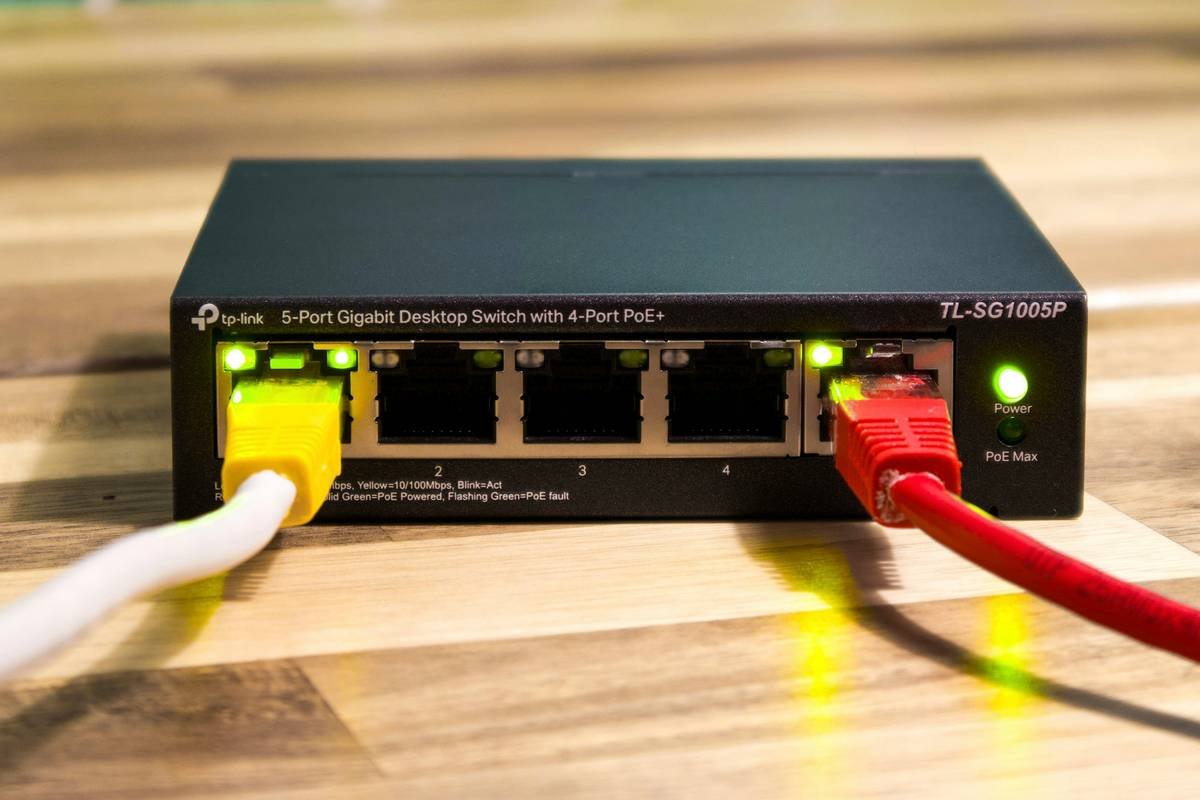
So, what’s a kill switch? Simply put, it’s a mechanism designed to stop processes automatically when certain conditions are met—temperature spikes, cyberattacks, hardware errors, you name it. It’s like having a fire extinguisher ready before flames hit.
Optimist You: “A kill switch will save me from chaos!”
Grumpy Me: “Only if you set it up right—and pray Murphy stays away.”
The problem lies in two extremes: either ignoring the need entirely (classic rookie mistake) or overcomplicating its configuration until it becomes useless. Don’t be *that* person.
Step-by-Step Guide: How to Activate Your Kill Switch
Step 1: Identify Critical Metrics to Monitor
First things first—determine what triggers your kill switch. For instance:
- CPU temperature exceeding X degrees Celsius.
- Detecting unusual network traffic patterns (hello, hacker).
- Losing connectivity between devices.
Tools like Nagios or custom scripts work great here.
Step 2: Choose Software/Hardware Solutions
Decide whether you want software-based solutions (like Tasker apps) or physical hardware switches. Both have pros and cons; consider flexibility vs. reliability.
Step 3: Set Thresholds and Responses
This part requires precision. If your threshold is too high, the switch won’t trigger on time. Too low? False alarms galore. Test different settings incrementally.
Step 4: Integrate Logging and Notifications
When your kill switch activates, make sure you’re immediately notified via email/SMS/logs. Otherwise, it’s like clapping silently—you miss the point entirely.
Pro Tips for Perfect Kill Switch Operation
Here’s how to avoid rookie mistakes and level up:
- Test Regularly: Simulate scenarios to ensure it works flawlessly. Think drills at school—boring but necessary.
- Avoid Overloading Conditions: Adding too many variables confuses the logic. Keep it simple.
- Use Automation: Automate responses whenever possible—for example, sending logs directly to Slack channels.
- (Terrible Tip): Never rely solely on free trial versions of monitoring tools. They crash faster than cheap headphones.
Real-Life Examples: When Kill Switches Saved the Day
Back in 2020, Reddit user u/TechGuru99 shared how their GPU overheated mid-game streaming session—and their automated kill switch shut off power to prevent permanent damage. Total cost saved? About $800.
In corporate IT departments, kill switches have thwarted ransomware attacks mid-execution by cutting internet access as soon as anomalies were detected.
Moral of the story? Preparation beats panic any day.
Frequently Asked Questions About Kill Switch Activation
What happens if my kill switch fails?
Then welcome back to chaos town! Always test regularly to minimize risks.
Can beginners configure a kill switch?
Absolutely, but stick to beginner-friendly platforms like Tasker or Home Assistant until comfortable diving deeper.
How do I integrate multiple sensors into one kill switch?
Use APIs to aggregate data and trigger the main switch based on combined inputs. Just remember to code defensively.
Conclusion
Kill switches may sound intimidating, but mastering them empowers you to take full control of your tech environment. Whether preventing overheated servers or stopping potential breaches, these safeguards are worth every ounce of effort.
To recap:
- Define clear metrics and thresholds.
- Select appropriate tools for implementation.
- Test rigorously and keep improving.
Now go forth and conquer! And hey, channel your inner 2000s kid: Treat your SEO just like those old Tamagotchis—feed it daily care 💕.
“Beep boop beep,”
says your freshly activated kill switch.
Quietly saving worlds since forever.

